Bastien Cocquempot Technical Artist VFX / AI
Software · Local AI

From script to film, on your own machines

Shotsmith is the production software I built to make a generative AI film the way you make any film: a shot breakdown, characters that stay the same, renders tracked shot by shot and a rough cut ready to export. It drives ComfyUI and locally installed models, so your scripts and images stay with you.

A complete production workshop

From synopsis to exported rough cut

Local AI: your data stays with you

The idea

Software built like a production

Generating one good image is easy. Holding a whole film together, with thirty shots, characters whose faces do not change and a team that knows where every shot stands, is a different job.

Shotsmith follows the structure of a real production (breakdown, assets, renders, edit) and hands the repetitive work to AI. You keep every creative decision; the software takes care of prompts, launching renders and tracking.

On video

See it running

Two videos to show what the software does: a shot built in 3D and rendered by AI, and a selection of shots made with my tools.

From 3D layout to final shot

The set-up and camera are built in Houdini with the help of an AI assistant. The layout render is sent to Shotsmith, the first frame is restyled with Flux, then the final shot is generated with LTX-2.5, following the camera move.

AI showreel

A selection of shots made with local generative AI, using my ComfyUI workflows and Shotsmith.

The life of a shot

From idea to export, in eight steps

Each step can be done by hand, assisted by AI, or launched in one click to get a complete first pass of the film.

01 · Write

Bring in your material

A synopsis, a script (PDF, Word, Final Draft, Fountain), a shot list (Excel, CSV) or a storyboard: each panel becomes a shot.

02 · Break down

The shot breakdown

AI suggests shot size, angle, camera move, focal length, lighting and duration. A directing review flags weak shots.

03 · Assets

Characters and sets

Every character, place or prop gets its own sheet, reference boards and turnaround views.

04 · Prompts

One prompt per shot

Written for the chosen model, checked and versioned. Ask for a change in plain words and it is rewritten.

05 · Generate

Renders

Launched without opening ComfyUI, shot by shot or in batches, and stored with all their settings.

06 · Review

An AI second opinion

A vision model scores each render, lists the flaws and suggests a fix to run again.

07 · Edit

The rough cut

Kept shots play in a timeline, with mixing and music.

08 · Deliver

Export

MP4 film, EDL for DaVinci Resolve or Premiere, and upscaling up to 4K.

In detail

What you can do

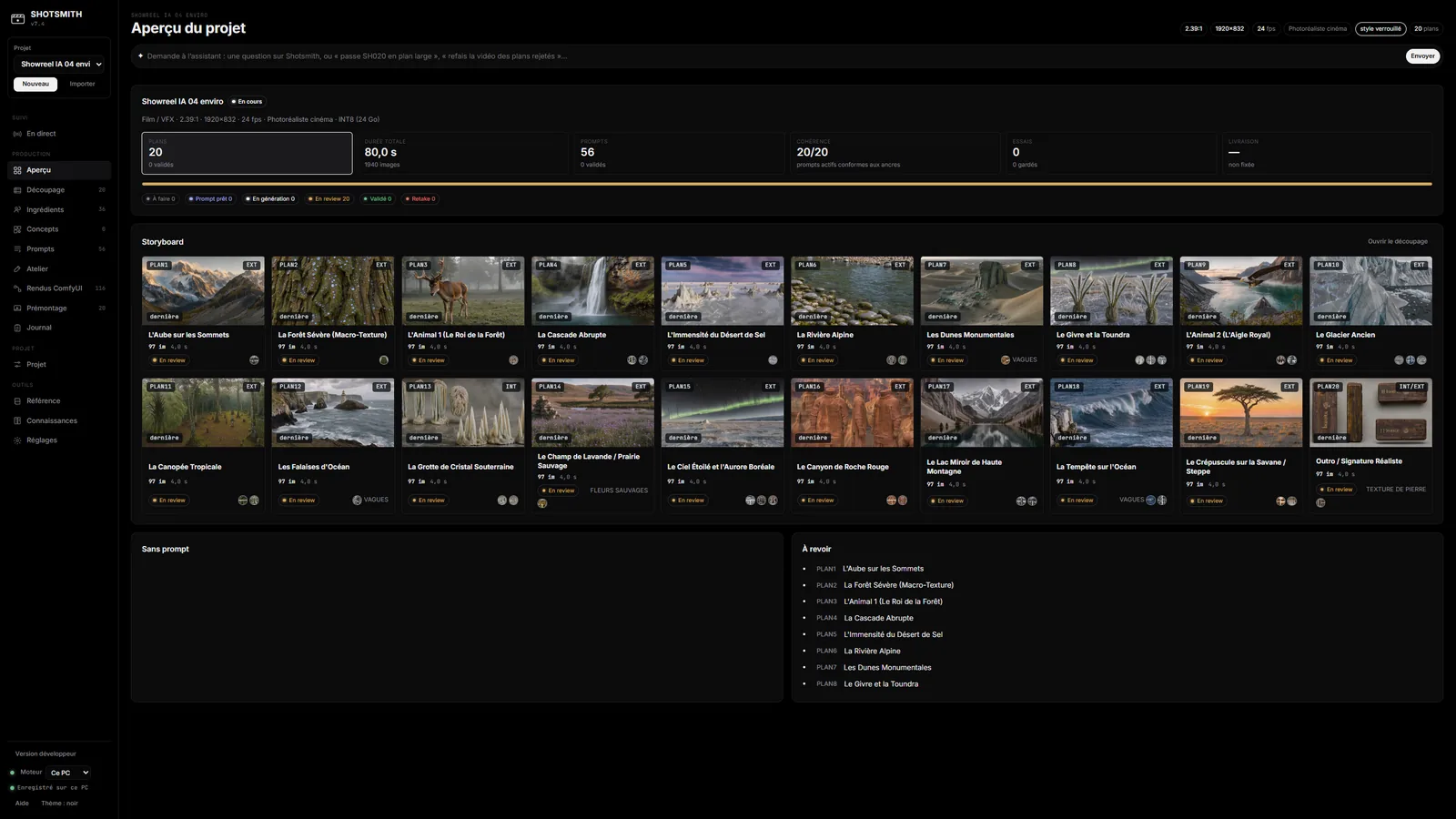
A few screens from the software. Click an image to open it full size.

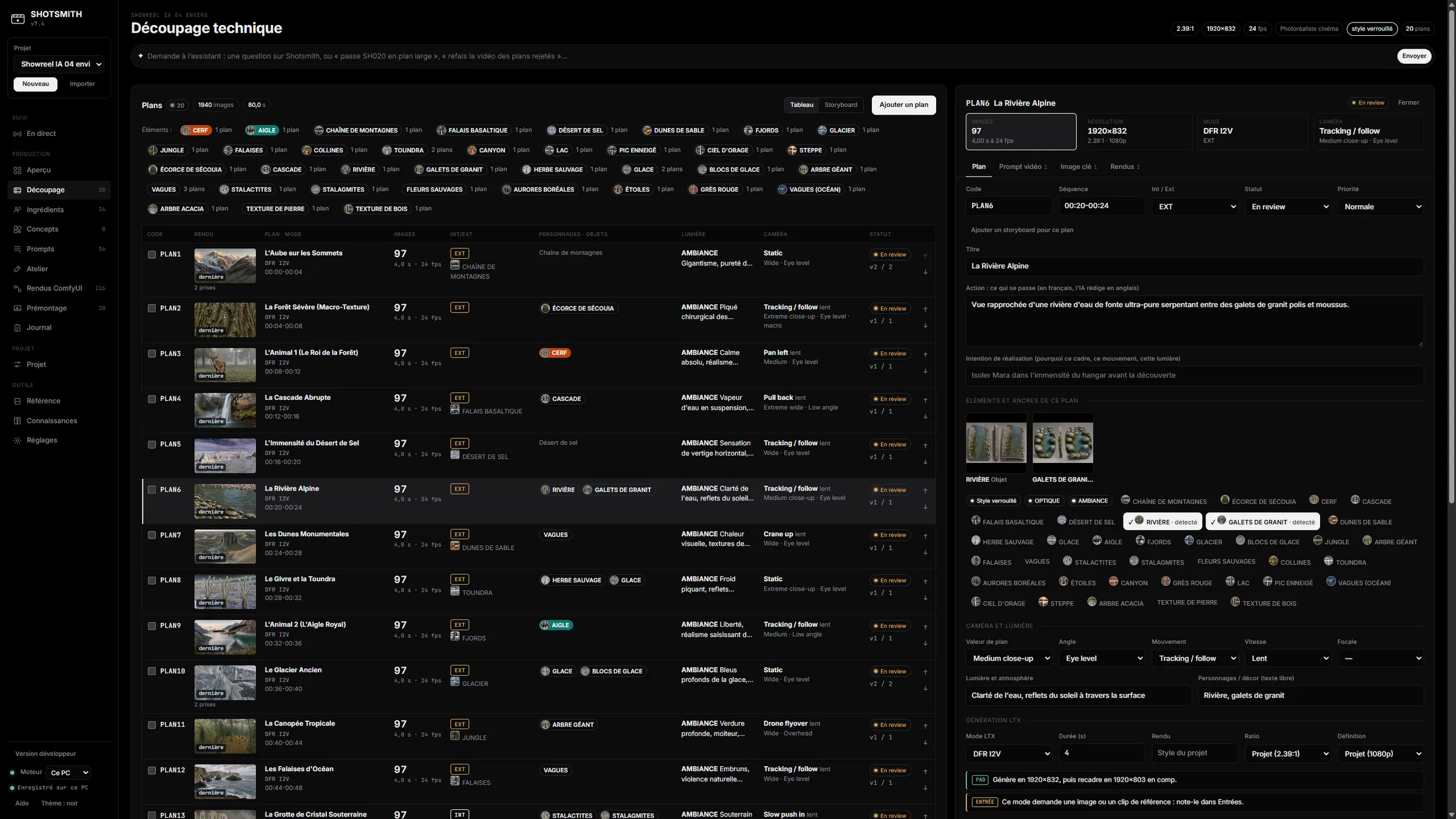
Shotsmith shot breakdown screen: list of shots with thumbnails, shot sizes and camera moves
01 · Breakdown

A real shot breakdown, not a list of prompts

The film is organised in shots, just like on set. Each shot carries its directing notes and its renders.

  • Shot size, angle, camera move, focal length, lighting and duration for every shot
  • Import of shot lists, scripts and storyboards (one panel = one shot)
  • Shot-by-shot directing review by AI
  • A built-in assistant: “make SH020 a wide shot” and it is done
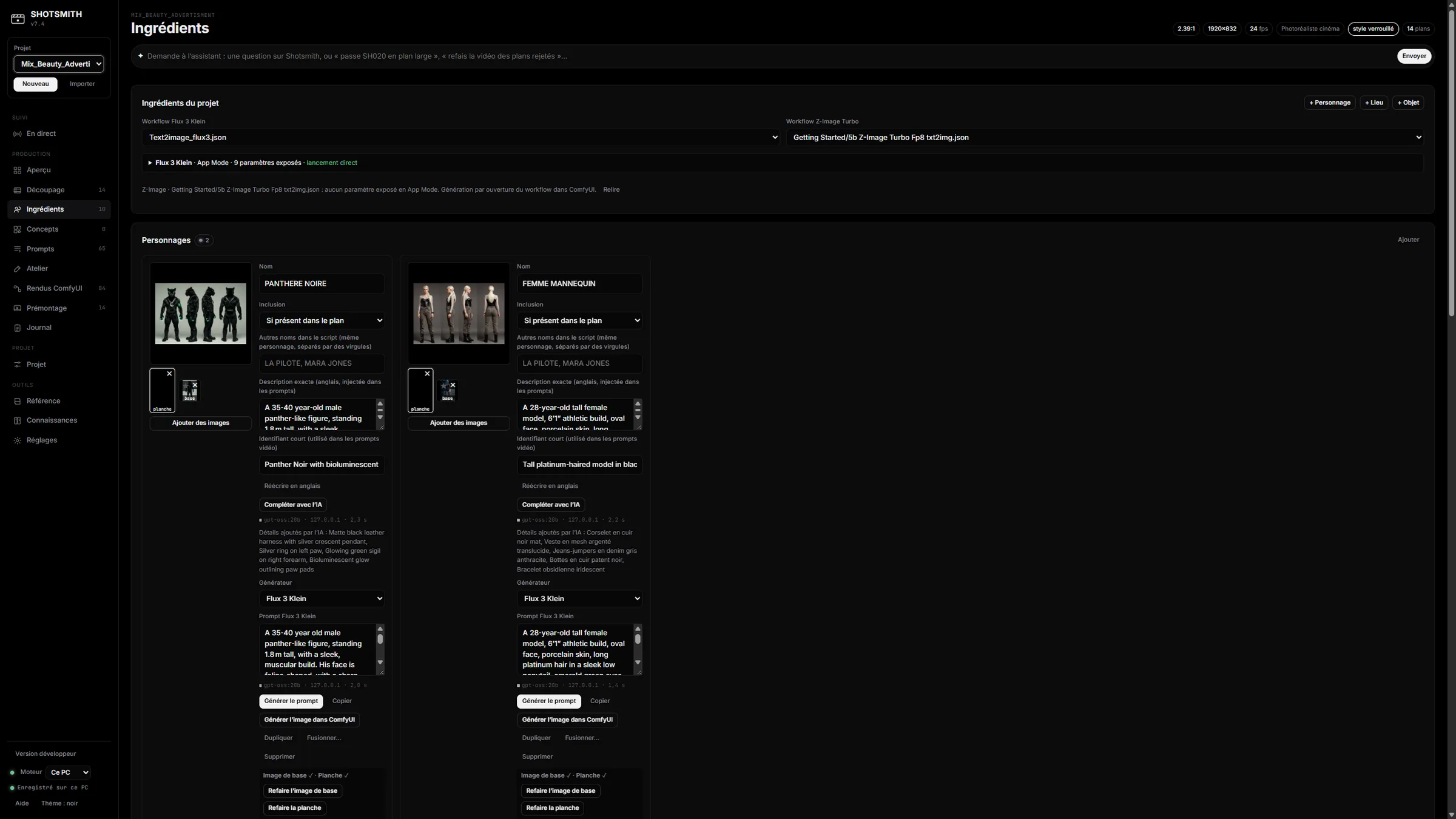
Shotsmith assets screen: character sheets with their reference boards
02 · Consistency

The same characters from shot to shot

The main flaw of AI films is faces and sets that keep changing. Shotsmith treats the film’s elements as assets reused everywhere.

  • Character, set and prop sheets with reference boards and turnaround views
  • A visual concept generator to explore a style
  • Locked style and consistency anchors, up to ten reference images per shot
  • Dataset export to train a LoRA on a character
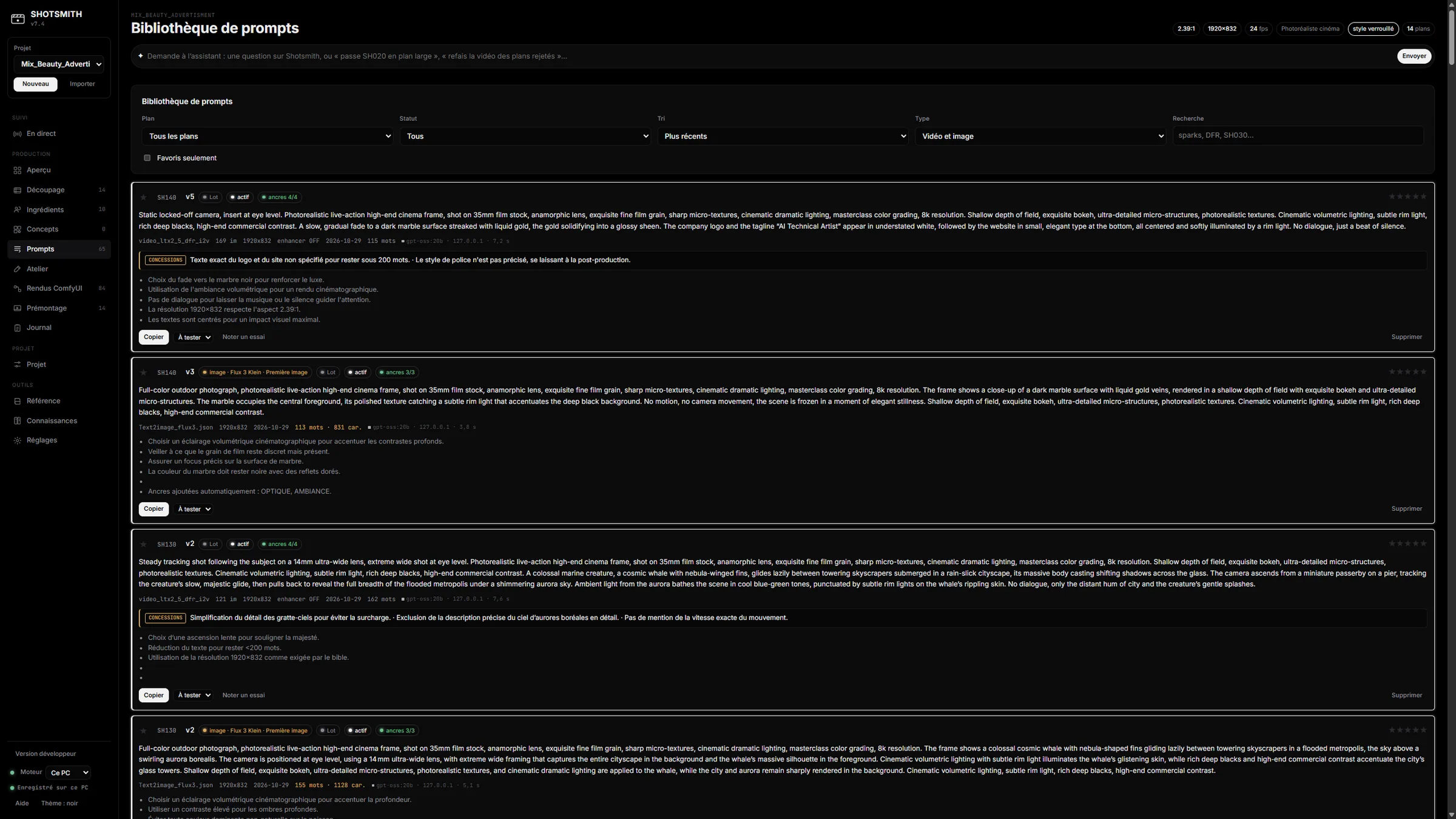
Shotsmith prompt library with versions
03 · Prompts

A prompt tailored to each model

Every model has its own way of reading. The software writes for you, from the breakdown and the assets, and keeps the history.

  • Prompts for LTX-2.5, Flux 2, Flux 3 Klein and Z-Image
  • Checked, counted and versioned: go back to an earlier version in one click
  • Ask for changes in plain words, rewritten in the model’s language
  • A prompt library reusable across projects
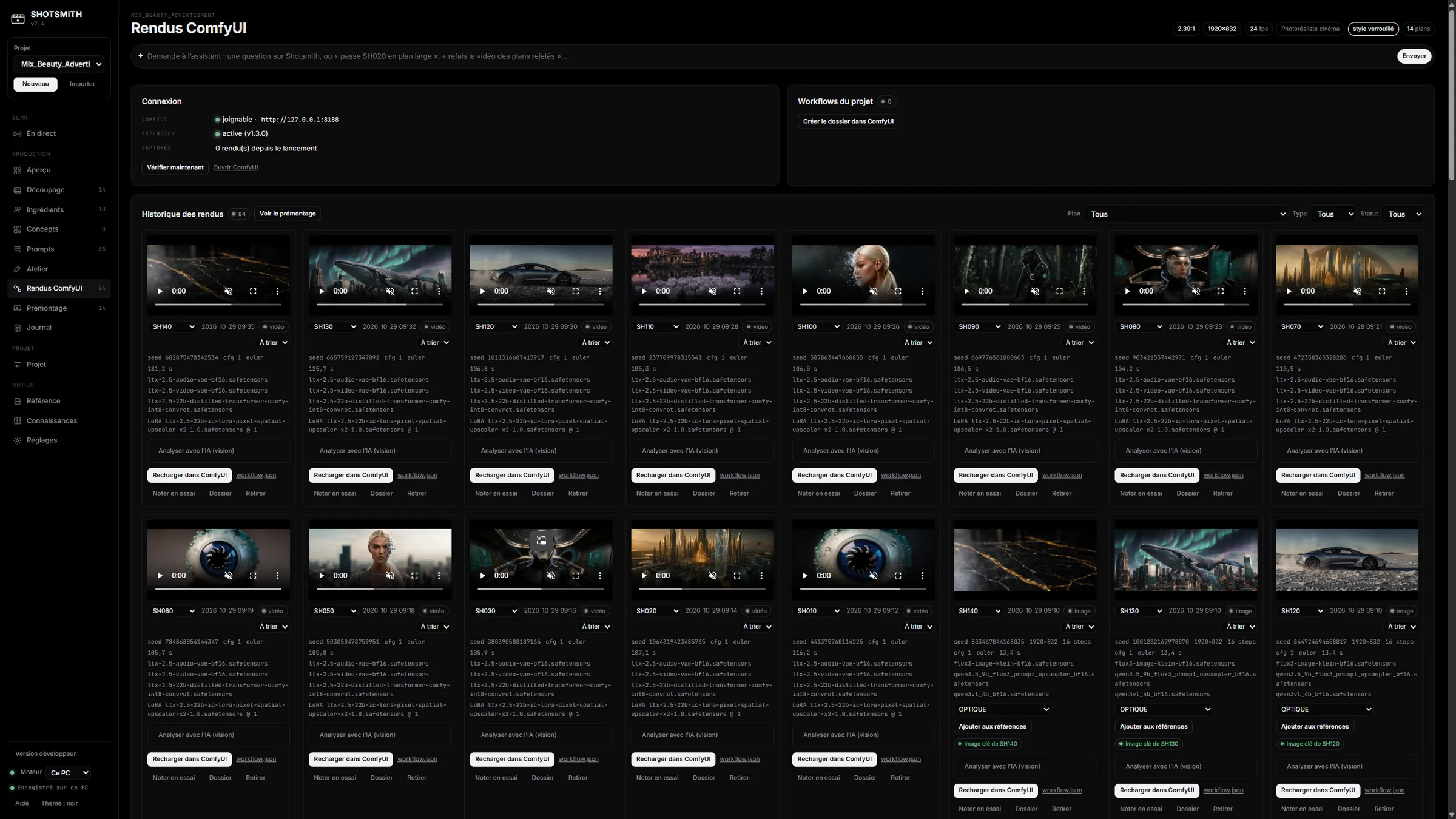
Shotsmith renders screen: grid of generated images and videos with their settings
04 · Renders

Every render tracked, scored and filed

No more juggling folders of images: each generation is tied to its shot, with its settings.

  • Renders launched from the software, without opening ComfyUI
  • First pass in one click: boards, start frames, then videos
  • Keep / Reject sorting, and re-run a shot with its settings
  • Vision-model review: score out of 10, flaws found, suggested fix
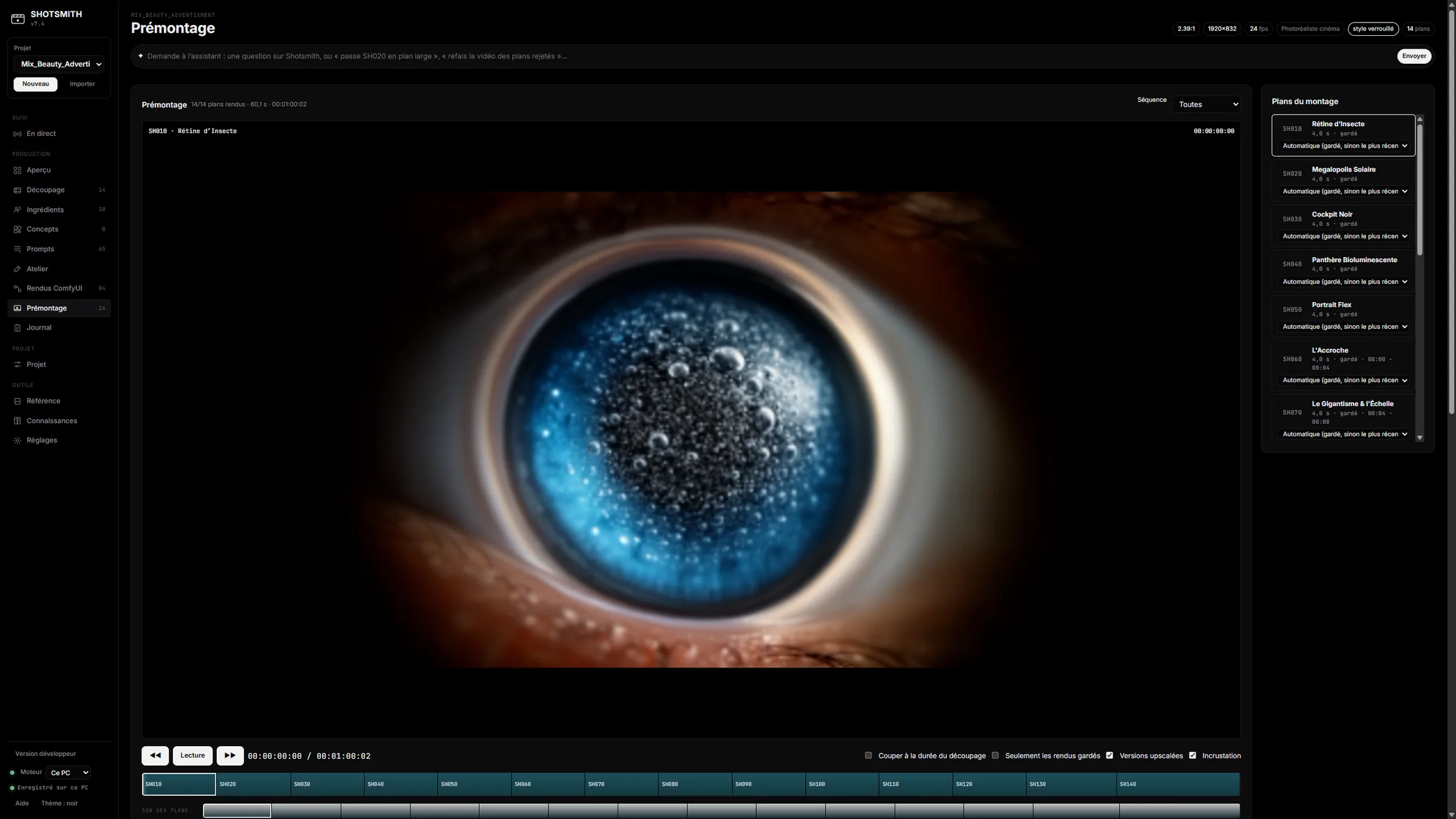
Shotsmith rough cut screen: video player, timeline and shot list
05 · Edit

A first cut before post-production

Kept shots drop into a timeline so you can judge the film’s pace straight away, without leaving the software.

  • Timeline, mixing and music
  • Editing notes with an AI diagnosis
  • MP4 and EDL export for DaVinci Resolve and Premiere
  • Tiled upscaling up to 4K
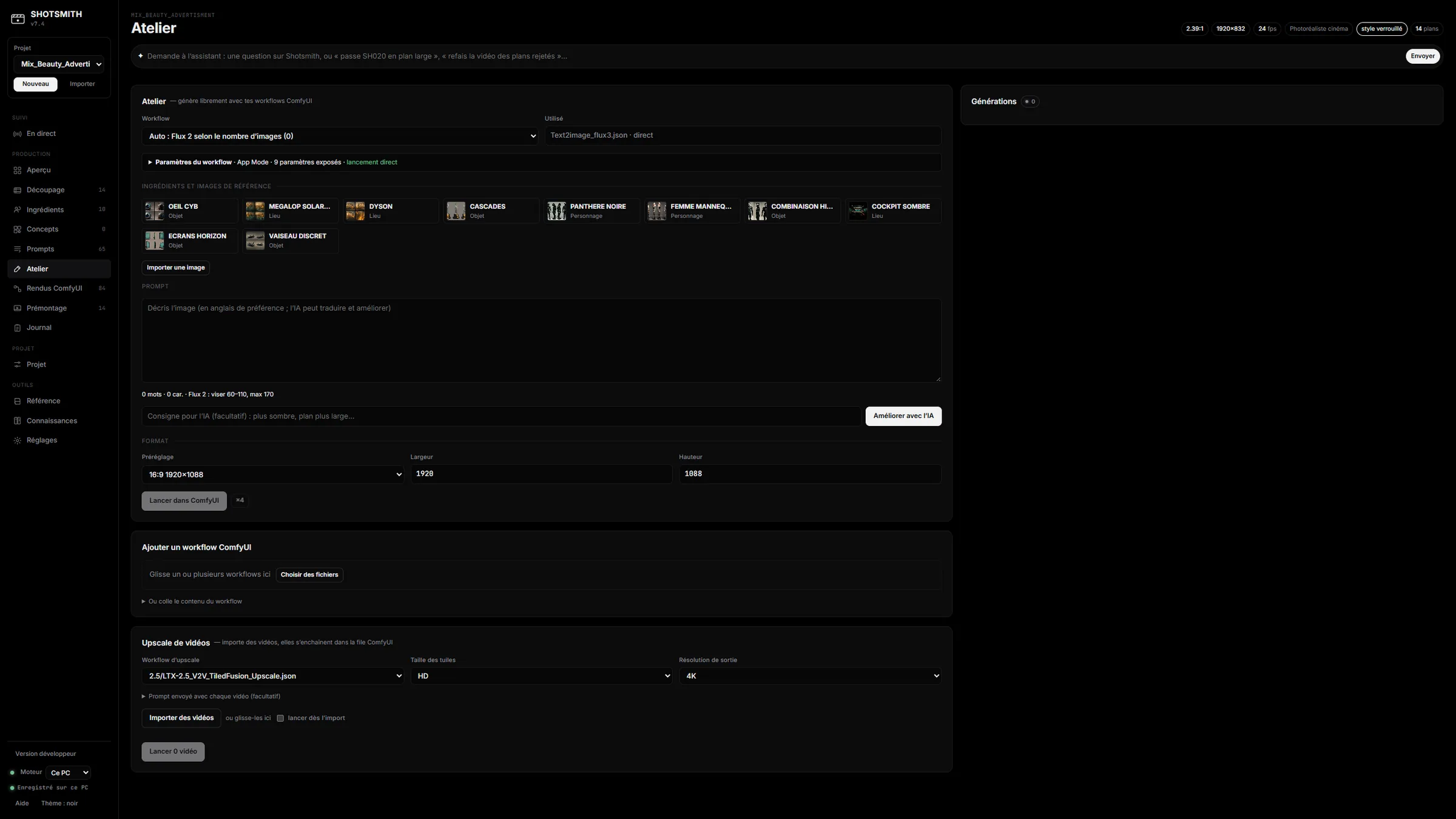
Shotsmith free workshop: workflow, inputs and settings
06 · Workshop

A free workshop to experiment

To try an idea outside a production, or plug in your own tools.

  • Free workshop: image, video and upscaling without creating a project
  • Your own ComfyUI workflows, with their inputs detected automatically
  • One job queue shared by all projects
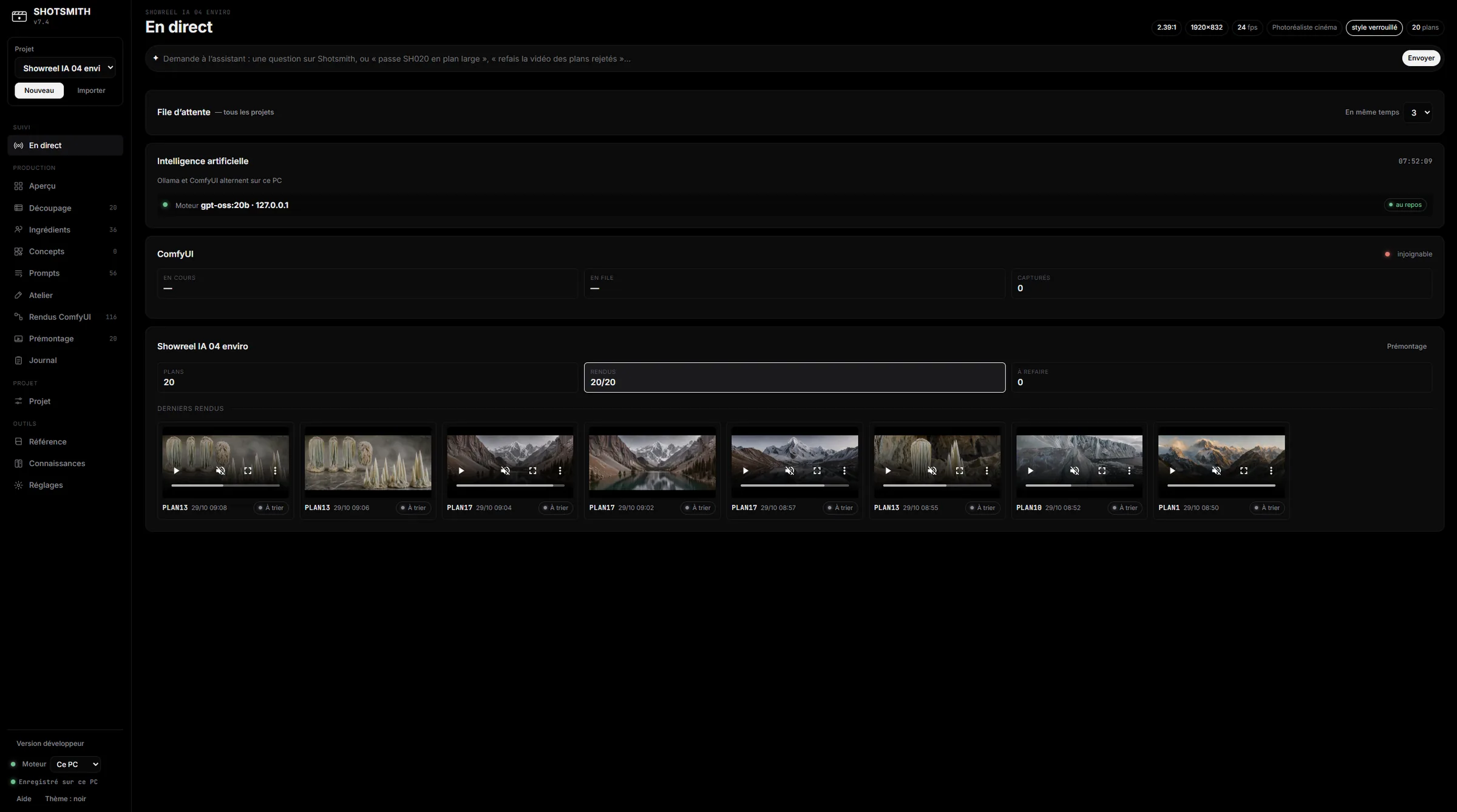
Shotsmith live view: running generations and queue
07 · Monitoring

Know where the production stands, even from your phone

Generations can take hours. You follow everything live and keep a record of every render.

  • Live view of running generations and the queue
  • A full log of every generation
  • Phone access by QR code, read-only by default
  • Interface in French or English

LTX-2.5 · Flux 2 · Flux 3 Klein · Z-Image · ComfyUI · Ollama · Gemma · Houdini · DaVinci Resolve · Premiere · EDL · Final Draft · Fountain · Excel · 4K upscale

Workflow

From 3D layout to final shot

The workflow shown in the video: 3D sets the framing and the motion, AI provides the look. You keep control of the camera, which generation alone cannot give you.

01 · Houdini

Build the scene

Set, volumes and camera are built in Houdini, with an AI assistant that assembles the scene on request.

02 · Shotsmith

Send the layout

The layout render lands in the matching shot, with its camera move.

03 · Flux

Restyle the first frame

The first frame is turned into the film’s look, using the character and set references.

04 · LTX-2.5

Generate the shot

The final shot is generated following the 3D motion, ready for the rough cut.

Local first

Your films stay with you

Scripts, characters, renders: nothing has to leave your studio. You choose where the AI runs.

Built for privacy
01 · On your workstation

Fully local

ComfyUI and the language and vision models run on your machine. The vision model is picked automatically.

02 · In your studio

On another machine

The AI can run on another PC on your network, woken up remotely when needed.

03 · If you choose to

In the cloud

An online model can be plugged in for text. It is an option, never a requirement.

Who it is for

Animation and VFX studios, production companies, agencies, directors and pre-production teams.

For a pitch, a moodfilm, previz, a music video or a short film: wherever a film has to be shown before it is made, or made by a small team.

Availability

Windows software, interface in French and English.

I can show it to you on your own projects and adapt it to your pipeline (your workflows, your models, your export formats).

My consulting services

Shotsmith

Let’s try it on your project

Send me a few words about your film or production. I will show you what the software can do with it.

Request a demo